

Growth and retentionReal operating interface
Promo codes and discounts configured precisely
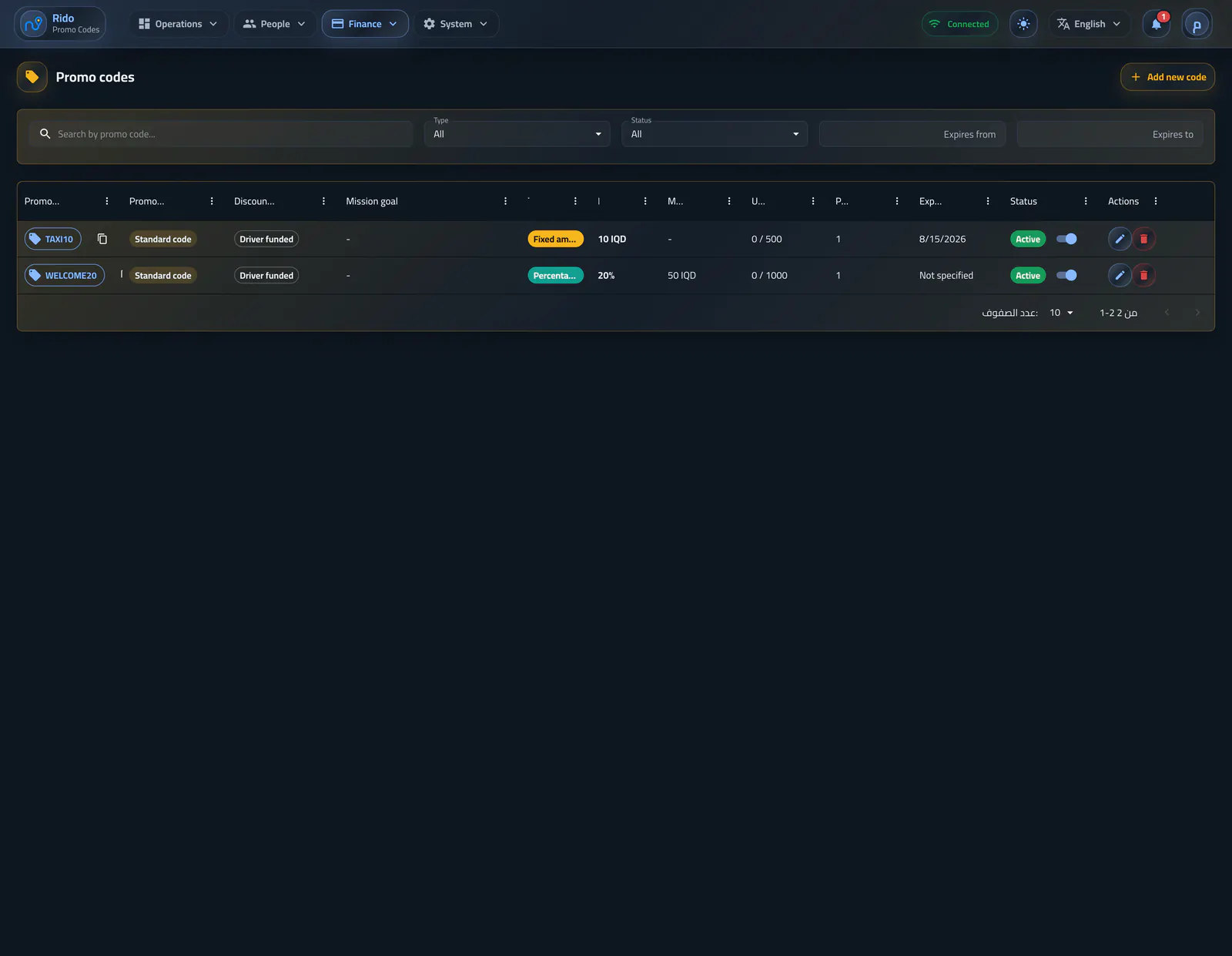
This section presents the promo-code types clearly: standard code, tiered discount, and mission/reward, with discount value, rules, customer linking, and direct notification when needed.
Interface preview
Interface language
Interface appearance
4 images
العربية / Lightالعربية / DarkEnglish / LightEnglish / Dark
Standarddirect promo code
Tieredby ride count
Missionreward after condition
Operating flow
Type one: standard code
A standard code is a direct discount that can be configured as a percentage or fixed amount, with usage conditions, financial limits, and activation state controlled from the dashboard.- Generate the code automatically or enter it manually
- Percentage or fixed discount
- Minimum order value before a code can be used
- Maximum discount for percentage campaigns
- Activate or pause the code without deleting history
Create a standard discount
Operators define a percentage or fixed value with limits, validity, payer, and activation state.Select a promotion type
The creation flow clearly separates standard discounts, tiered campaigns, and reward missions.Operating flow
Type two: tiered discount
A tiered discount ties the offer value to customer behavior and ride count, so the promotion can change as the customer keeps using the service.- Tiered offer based on ride count
- Tie rewards to measurable usage behavior
- Keep usage effect visible in the customer record
- Useful for repeat-customer activation campaigns
Create a tiered campaign
Several ride milestones can unlock progressively different discount values.Operating flow
Type three: mission/reward
A mission makes the reward depend on a clear condition; the reward code remains hidden until the customer completes the requirement, such as reaching a defined ride count.- Reward mission after a condition is met
- Hide reward code until required rides are complete
- Define the condition before granting the reward
- Turn the offer into a clear goal inside the customer experience
Create a reward mission
A mission ties a reward to a measurable ride requirement, validity window, and usage policy.Promotion management
Codes, campaign types, state, customer assignment, and mission progress remain visible in one list.Operating flow
Link a code to a customer with direct notification
From the admin dashboard, a promo code can be linked directly to a specific customer, appear in that customer record, and be sent with an in-app notification when granted.- Create a code from the customer profile or link it to a selected customer
- Show the code in customer promo history
- Send a direct notification to the customer when the code is granted
- Track promo impact from customer and ride context
Operating flow
Who funds the discount?
The discount can be company-funded or driver-funded depending on the campaign model, and its financial effect remains part of ride and driver accounting.- Company-funded discount for growth or support campaigns
- Driver-funded discount for different operating models
- Financial effect remains reviewable
- Promotion impact can be reviewed from customer and ride context
Select the campaign payer
Campaign cost can be assigned to the company or driver before the offer is created.Operating flow
Referrals that reward the first ride
Each customer has an invitation code; the invitee receives a first-ride discount and the referrer receives wallet balance after admin-defined conditions are met.- Enable or disable referrals from settings
- Set invitee first-ride discount and validity days
- Set referrer reward and minimum ride value
- Customize invitation share text
Referral and reward rules
Invitation discounts, owner rewards, eligibility thresholds, validity, and sharing text are configured together.Growth and retention