

Unambiguous stages03
Navigate to pickup, wait for the customer, and complete safely
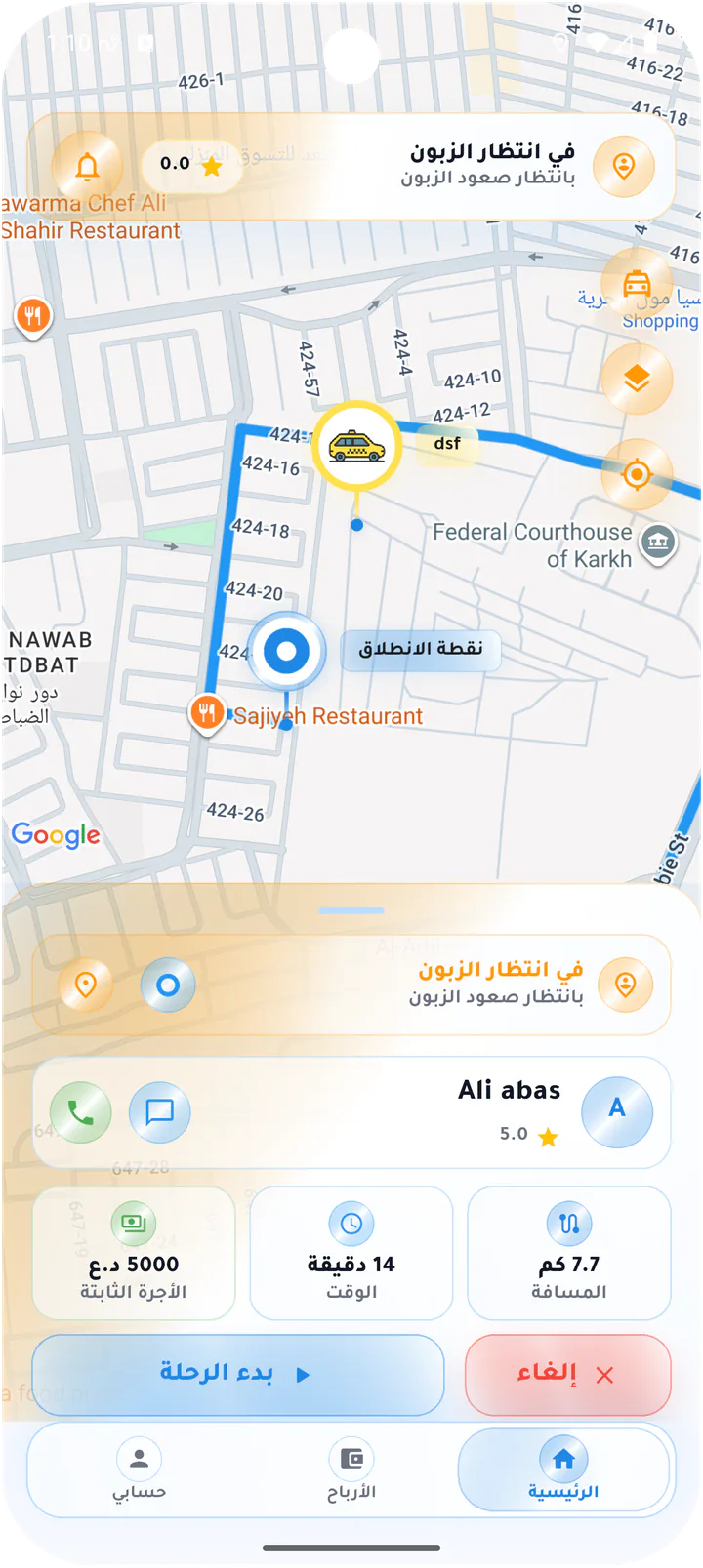
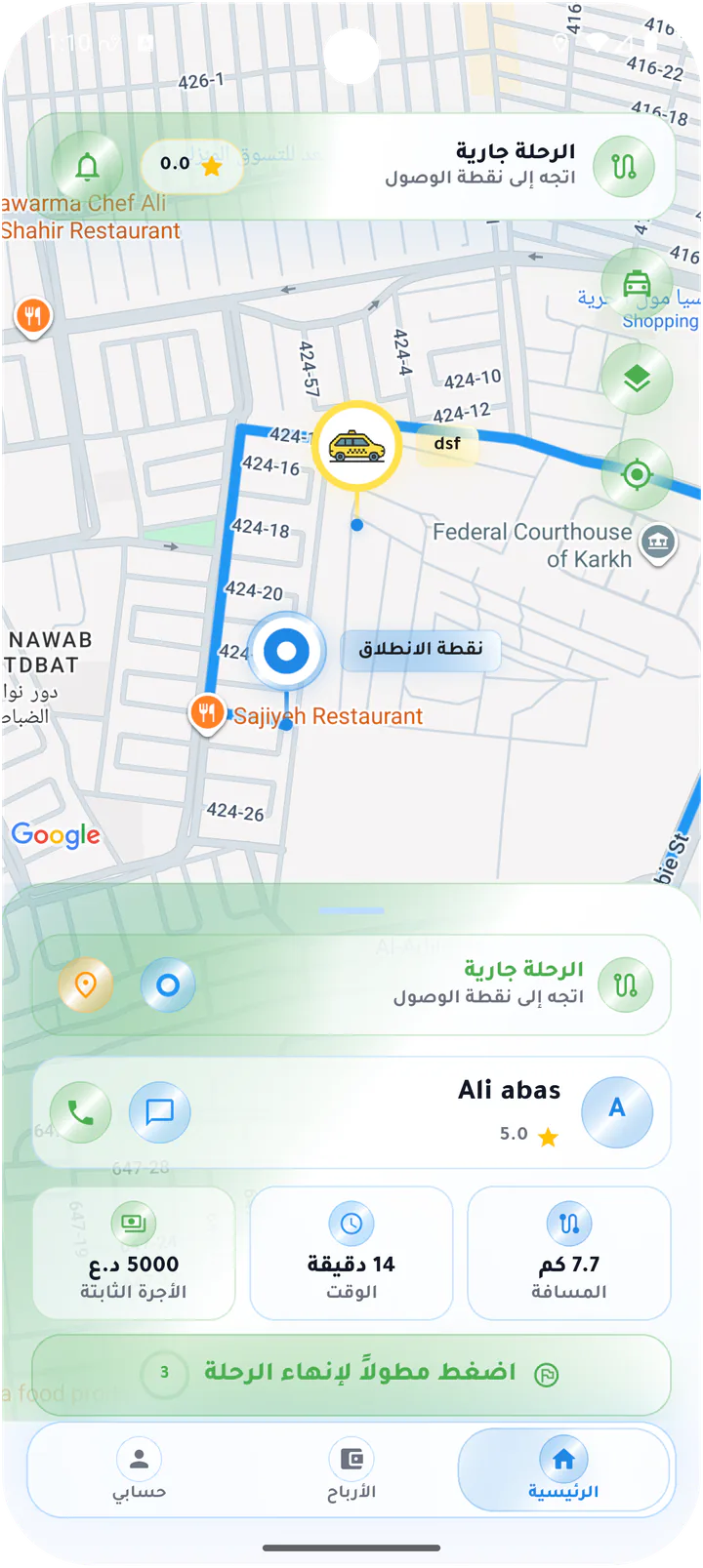
The interface changes with the real state: driving to pickup, arrived, waiting, active ride, and hold-to-complete, with explicit cancellation confirmation.
Message us on Facebook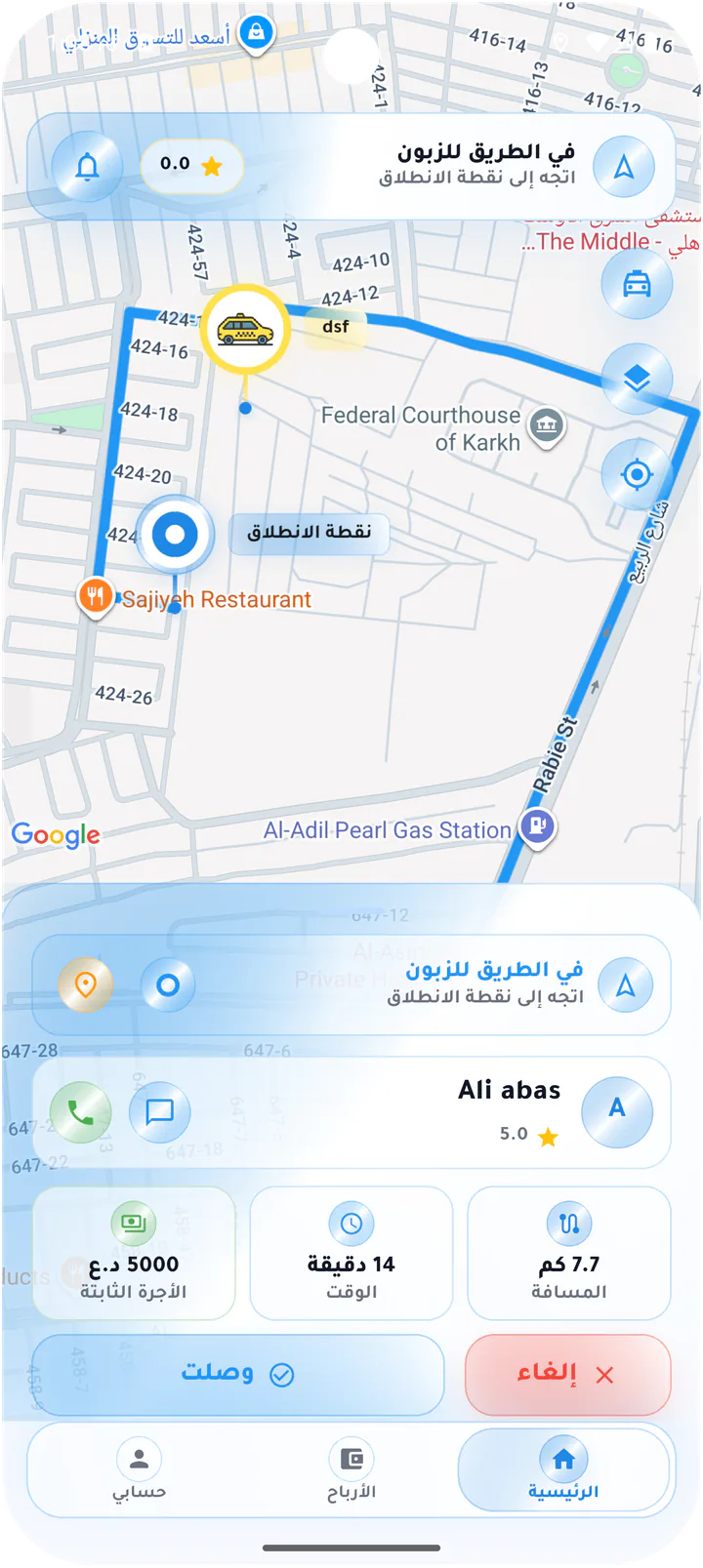
What this page covers
One primary action for every ride stage
Normal and short-ride screens demonstrate the same arrival, start, active, and completion logic across scenarios.- 01
Navigation to the pickup point
- 02
Call, chat, and Arrived action
- 03
Waiting and Start ride state
- 04
Hold to complete and confirm before cancelling
Real screens from the app
Pickup and active ride
The interface changes with the real state: driving to pickup, arrived, waiting, active ride, and hold-to-complete, with explicit cancellation confirmation.Screen 01
Driving to pickup
Accepted ride with pickup navigation, customer card, call, chat, and Arrived action.Screen 02
Unread chat on the way
Pickup navigation with an unread badge on the ride chat action.Screen 03
Waiting for the customer
Pickup arrival state with customer card and Start ride action.Screen 04
Active ride to destination
Live destination route with ride card and press-and-hold completion control.Screen 05
Short ride to pickup
Short pickup route with fare, distance, time, and Arrived action.Screen 06
Waiting on a short ride
Arrival state for a short ride with Start ride and Cancel actions.Screen 07
Active short ride
Short live ride with duration, distance, fare, and hold-to-complete action.Screen 08
Cancel the current ride
Warning dialog asking the driver to confirm cancellation of the active trip.Driver app