

Financial detail06
Net income, balance, company debt, and withdrawals in one record
Earnings explain every amount, support movement filters and withdrawals, and show the resulting withdrawable balance and later transactions.
Message us on Facebook

What this page covers
Every number has a source and a matching movement
The screens move from summary and breakdown to filters, then through the full withdrawal cycle and post-request balances.- 01
Today, week, and month filters
- 02
Company share, cash, and wallet breakdown
- 03
Movement filters by transaction type
- 04
Withdrawal request and updated balance state
Real screens from the app
Earnings and withdrawals
Earnings explain every amount, support movement filters and withdrawals, and show the resulting withdrawable balance and later transactions.Screen 01
Earnings dashboard
Period-filtered earnings view with net income, trips, rating, withdrawable balance, and company debt.Screen 02
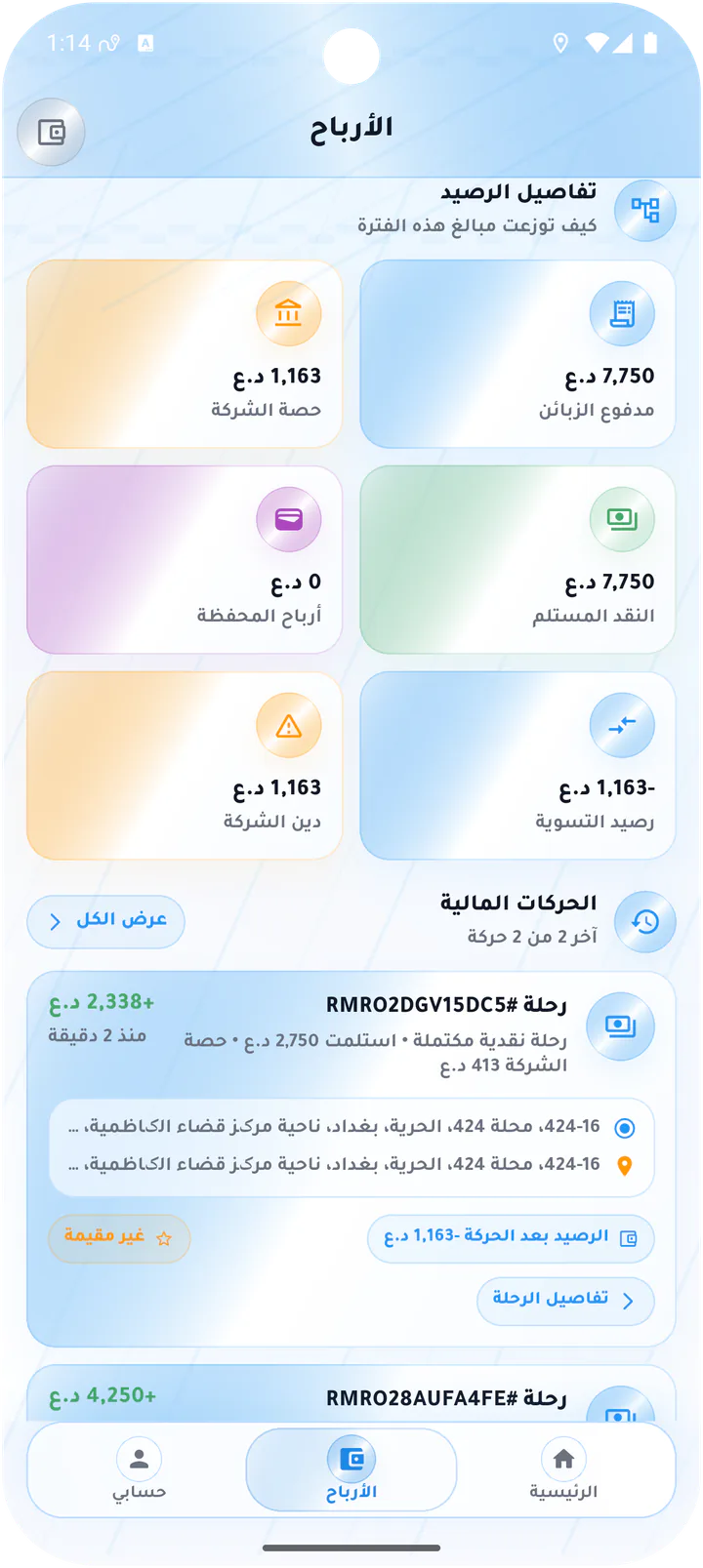
Balance and transaction breakdown
Earnings detail separating company share, customer payments, collected cash, wallet income, and movements.Screen 03
Filter financial movements
Transaction filter by period and movement type including rides, cash, wallet, withdrawals, and settlements.Screen 04
Monthly financial movements
Month-filtered transactions with earnings summary, completed rides, and running balances.Screen 05
Empty withdrawal form
Withdrawal dialog before an amount is entered.Screen 06
Request an earnings withdrawal
Withdrawal dialog with available balance, amount entry, and submit action.Screen 07
Earnings after a withdrawal
Updated earnings view with net income, remaining withdrawable balance, and post-request breakdown.Screen 08
Financial movements after withdrawal
Transaction list showing completed rides and balance changes after collection or withdrawal activity.Driver app