

Controlled alerts08
Ride-linked notifications with clear preferences
Customers can review notification history, open the related ride, choose alert categories, and configure an automatic message to the driver.
Message us on Facebook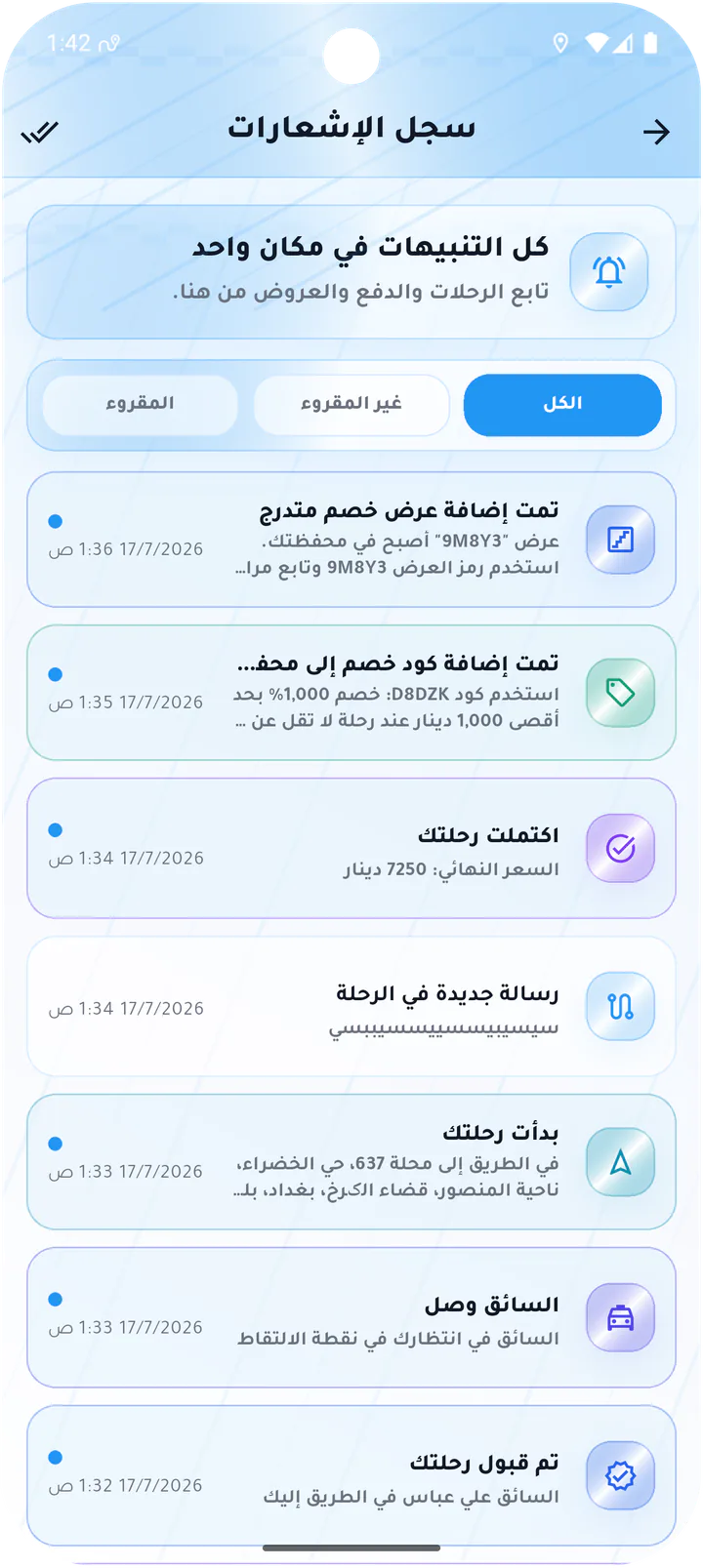
What this page covers
From notification to the action it represents
The screens show the inbox, completed-ride detail, alert preferences, and the automatic ride message.- 01
Read and unread notification history
- 02
Details that link to the relevant ride
- 03
Independent ride and promotion toggles
- 04
Editable default message and trigger time
Real screens from the app
Notifications and preferences
Customers can review notification history, open the related ride, choose alert categories, and configure an automatic message to the driver.Screen 01
Customer notification history
Notification inbox with read and unread filters and updates for offers, chat, ride start, and driver arrival.Screen 02
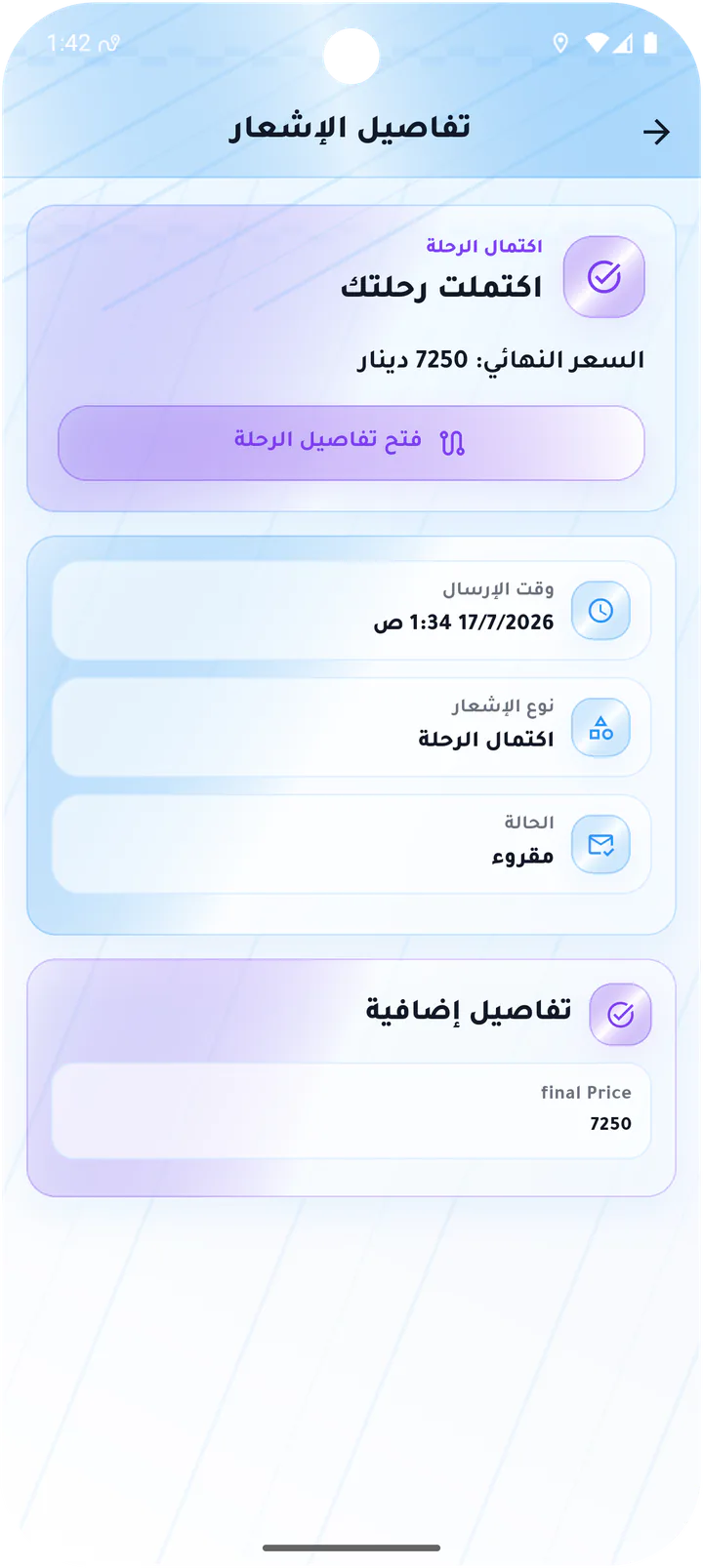
Completed-ride notification
Notification detail with final fare, notification type and state, plus a link to the ride record.Screen 03
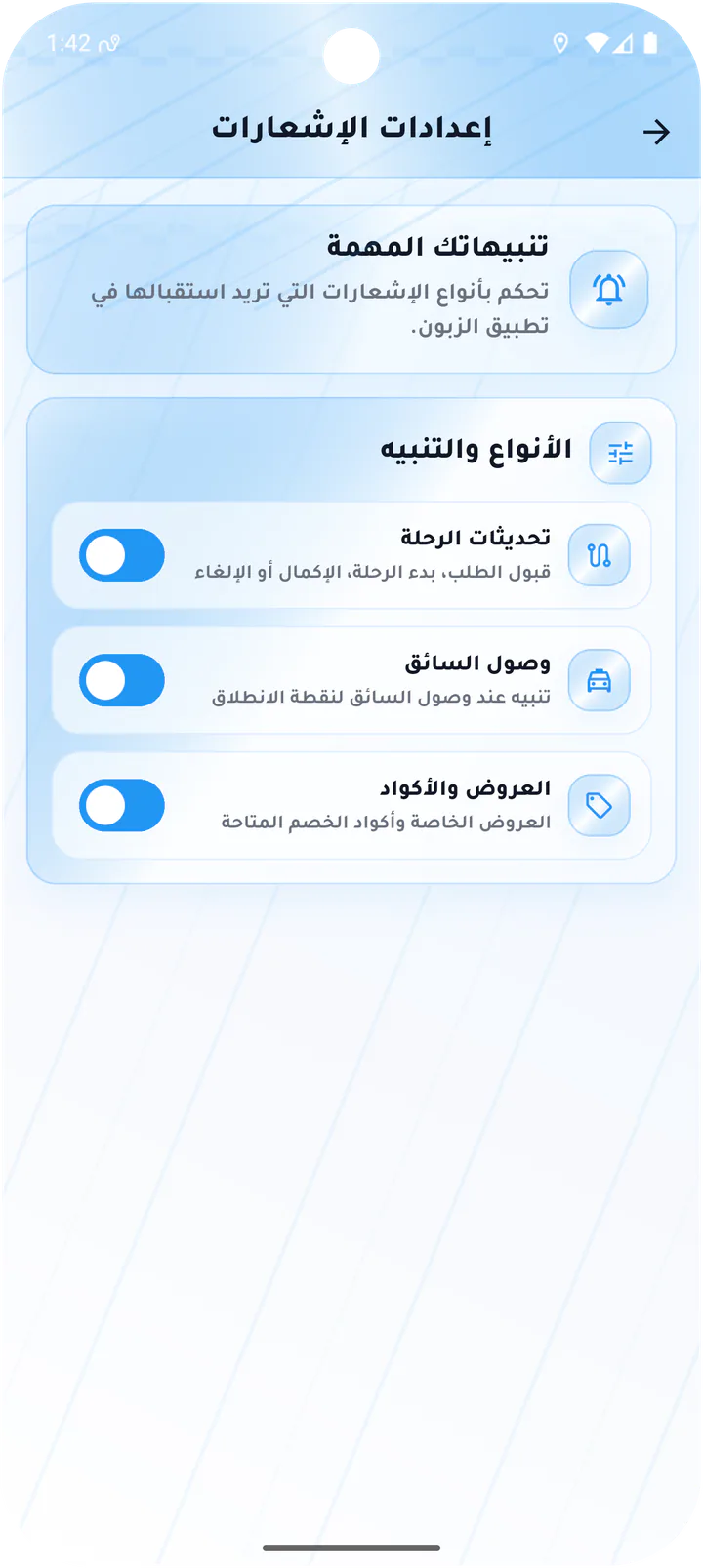
Customer notification preferences
Toggles for ride updates, driver arrival, offers, and promo-code notifications.Screen 04
Default ride message
Automated message setting with trigger timing, message text, and an enable switch.Customer app