

Choose before requesting03
Vehicle category, expected fare, and advanced options before confirmation
Booking confirmation combines vehicle, expected fare, payment, promo, driver note, extra stop, waiting time, and round trip.
Message us on Facebook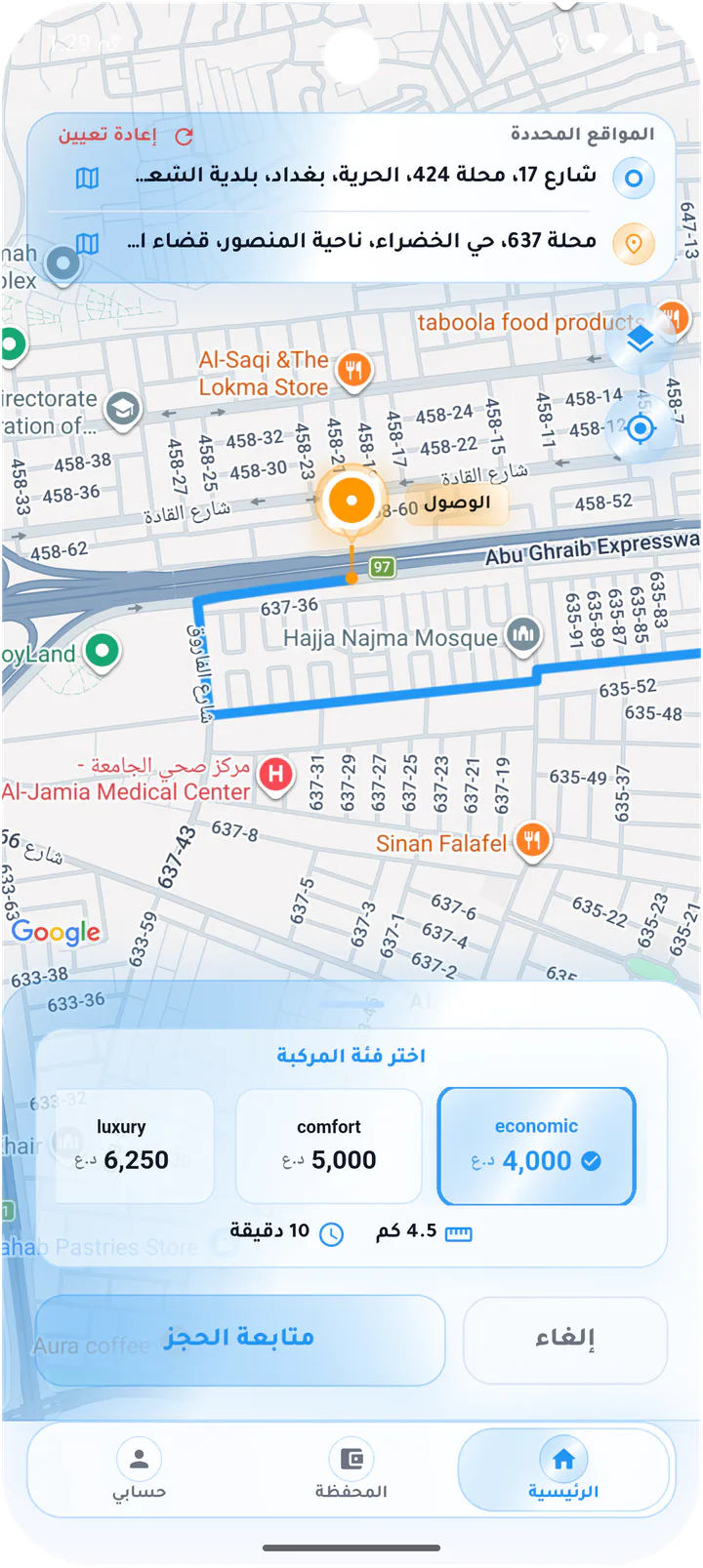
What this page covers
A clear booking decision before the request is sent
The screens move from vehicle choice to confirmation and show how route and fare adapt when advanced options are added.- 01
Vehicle categories with fare, time, and distance
- 02
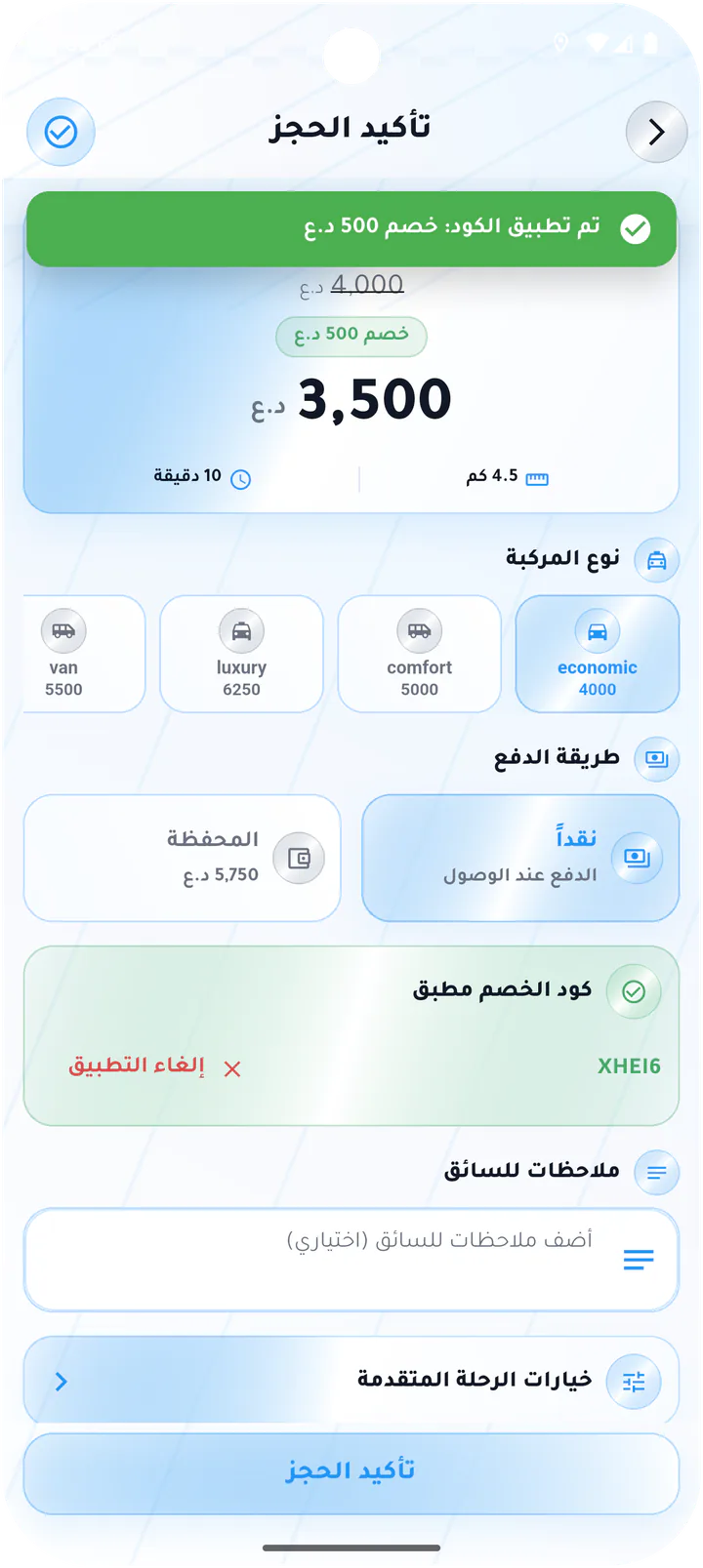
Cash or wallet in the confirmation flow
- 03
Apply a promo and see its exact impact
- 04
Extra stop, waiting time, and round trip
Real screens from the app
Vehicle, fare, and ride options
Booking confirmation combines vehicle, expected fare, payment, promo, driver note, extra stop, waiting time, and round trip.Screen 01
Choose a vehicle category
Route preview with Economy, Comfort, Luxury, and Van options, estimated fare, distance, and time.Screen 02
Review the selected ride
Compact pre-booking summary for the selected Economy ride, showing fare, duration, and distance.Screen 03
Confirm booking and enter a promo
Booking confirmation with vehicle, payment, promo code, driver note, and advanced ride options.Screen 04
Booking with an applied discount
Confirmation state showing the original fare, discounted total, and successful promo feedback.Screen 05
Advanced ride options
Controls for an extra stop, waiting period, and a round trip back to the pickup point.Screen 06
Select a second stop
Map selection for an additional purple stop before returning to the booking flow.Screen 07
Confirm the second stop
Second-stop confirmation sheet with its address and quick-place shortcuts.Screen 08
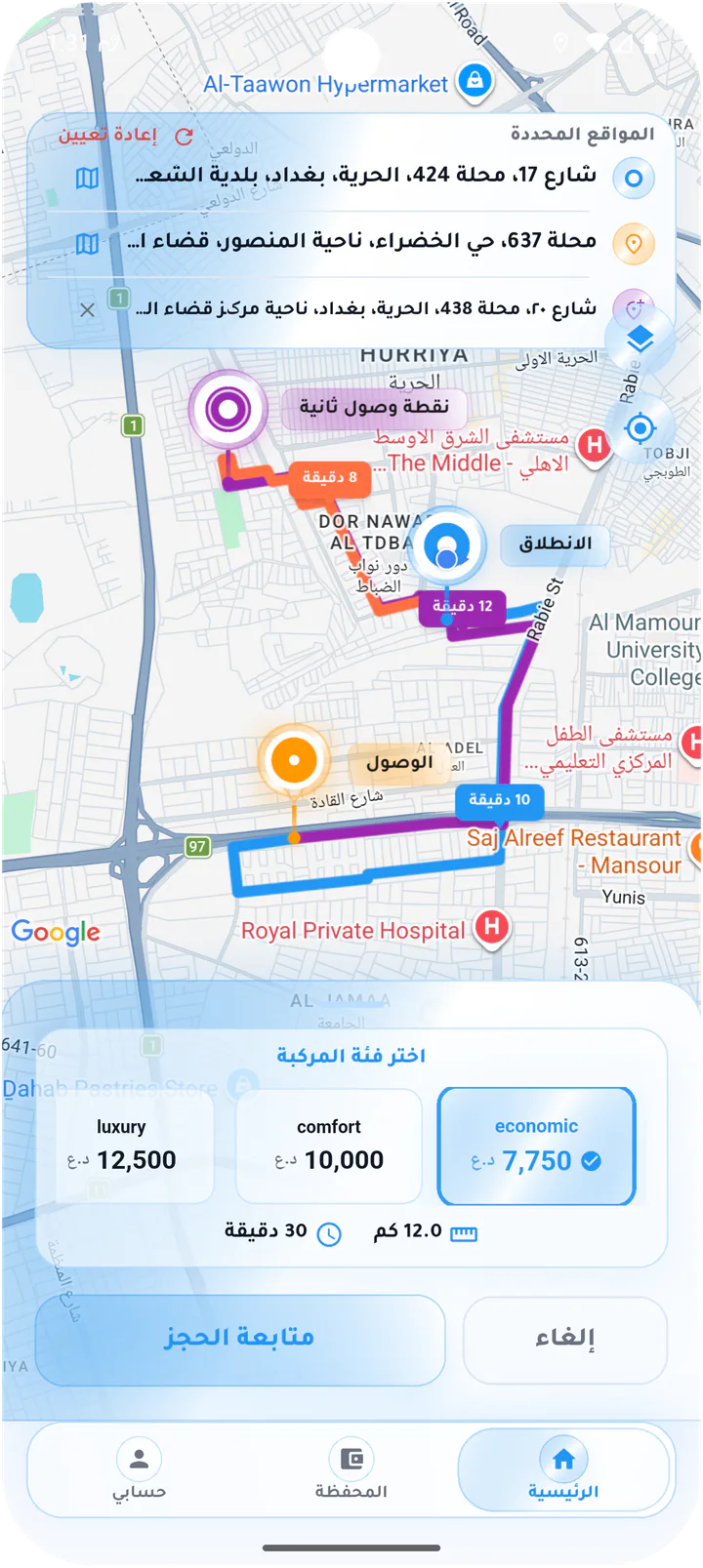
Choose a vehicle for a multi-stop ride
Multi-color route and vehicle-category options recalculated for the longer, multi-stop journey.Screen 09
Review a multi-stop route
Summary of pickup, destination, and second stop with updated fare, duration, and distance.Screen 10
Confirm a discounted multi-stop booking
Final booking screen combining the extra-stop charge, applied discount, payment method, and total fare.Screen 11
Enabled advanced options
Advanced-options state with a second stop and round trip enabled, including an action to remove the stop.Customer app