

Work profile08
Driver account, vehicle, approval, and security in one place
The account combines profile, history, notifications, financial movements, vehicle data, approval files, password security, and sign out.
Message us on Facebook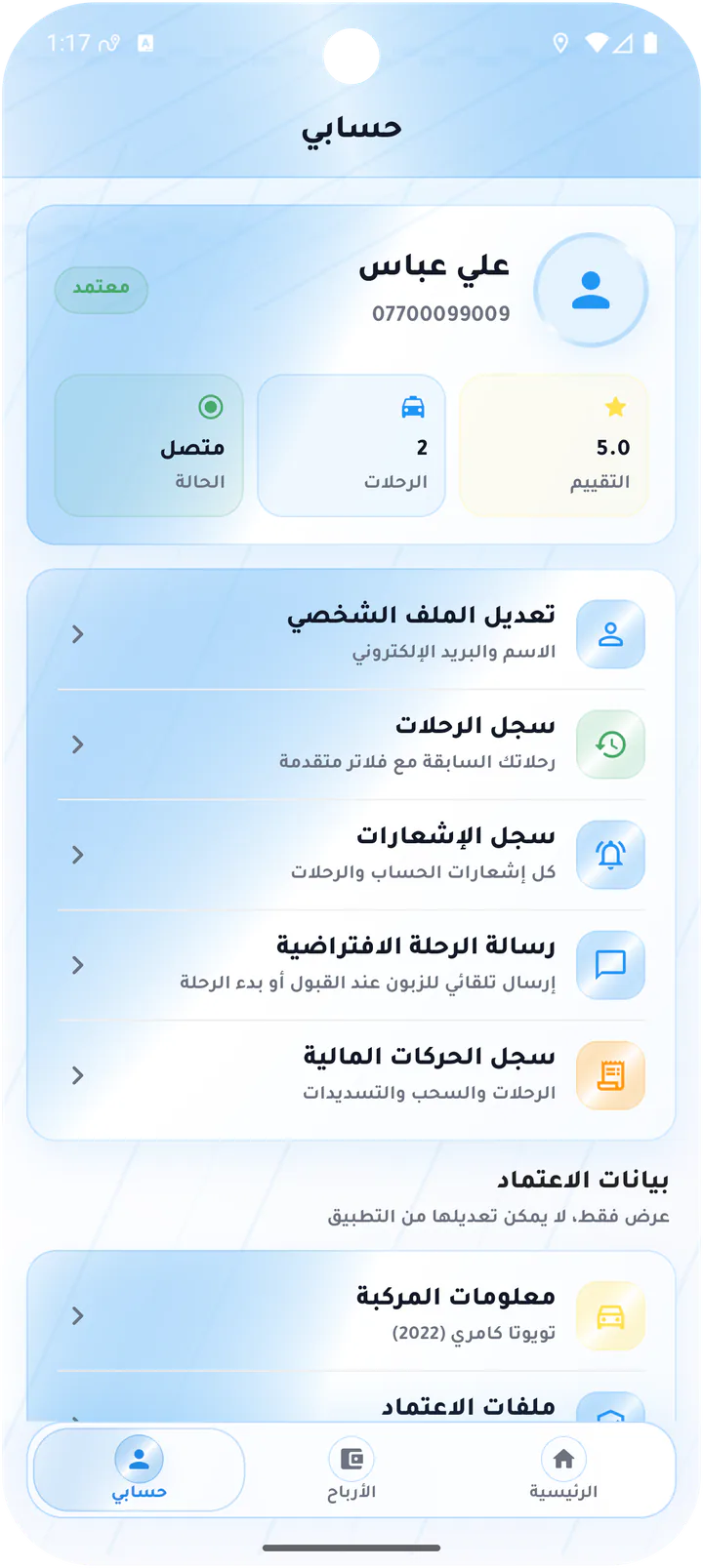

What this page covers
Everything that proves readiness and manages the account
The screens cover account hub, editing, notifications, vehicle, approval, password, and sign-out controls.- 01
Status, ride count, and rating summary
- 02
Read-only approved vehicle data
- 03
Approval files driven by admin requirements
- 04
Notifications, password, and sign out
Real screens from the app
Account, vehicle, and settings
The account combines profile, history, notifications, financial movements, vehicle data, approval files, password security, and sign out.Screen 01
Driver account overview
Account hub with online state, trip count, rating, profile, history, notifications, default message, finance, and approval data.Screen 02
Edit driver profile
Profile editor for name and email.Screen 03
Driver notification center
Notification inbox with read, unread, and saved totals plus message and approval updates.Screen 04
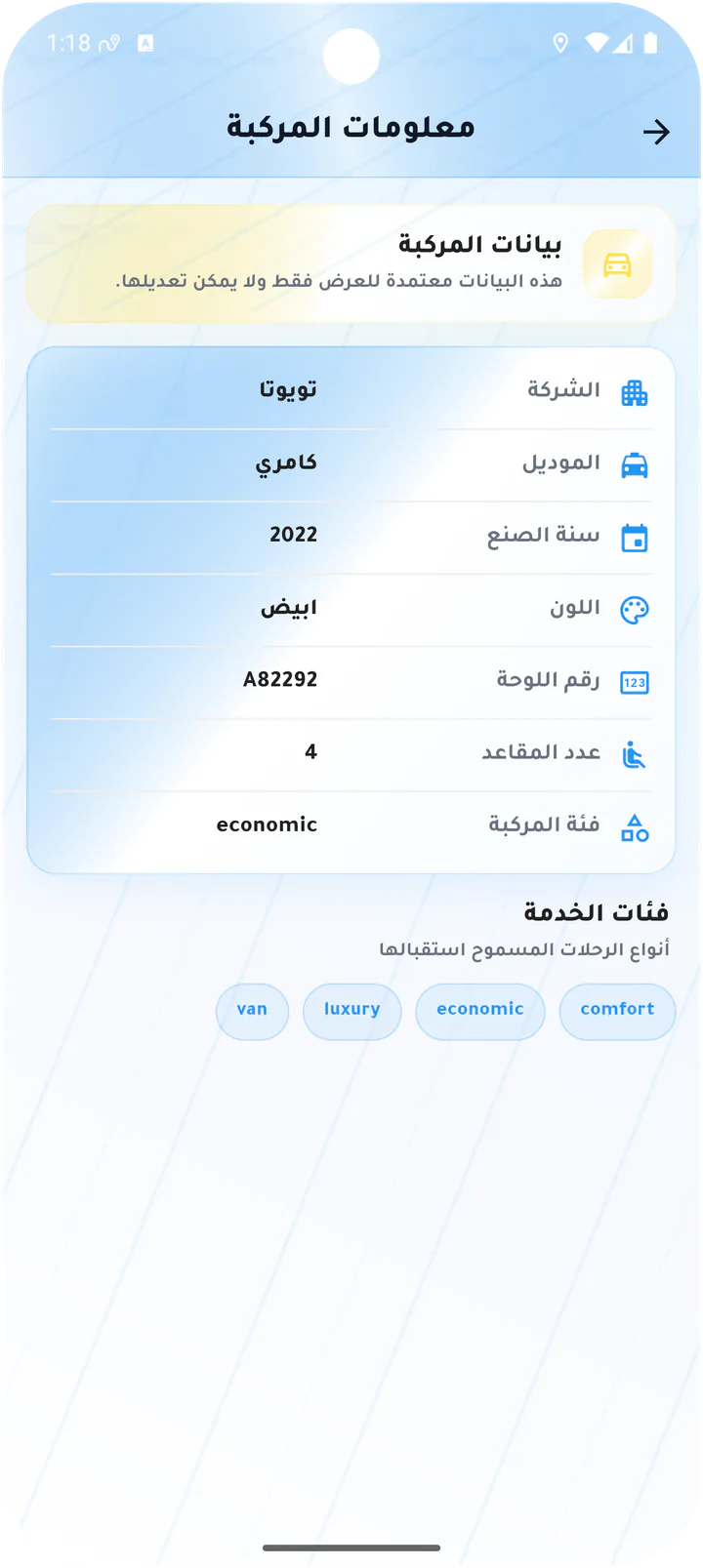
Approved vehicle information
Read-only vehicle profile with make, model, year, color, plate, seats, and service categories.Screen 05
Approval files
Approval requirements page showing that no document requirements are currently configured.Screen 06
Change driver password
Account dialog for current and new passwords.Screen 07
Confirm driver sign-out
Sign-out confirmation with cancel and logout actions.Driver app